

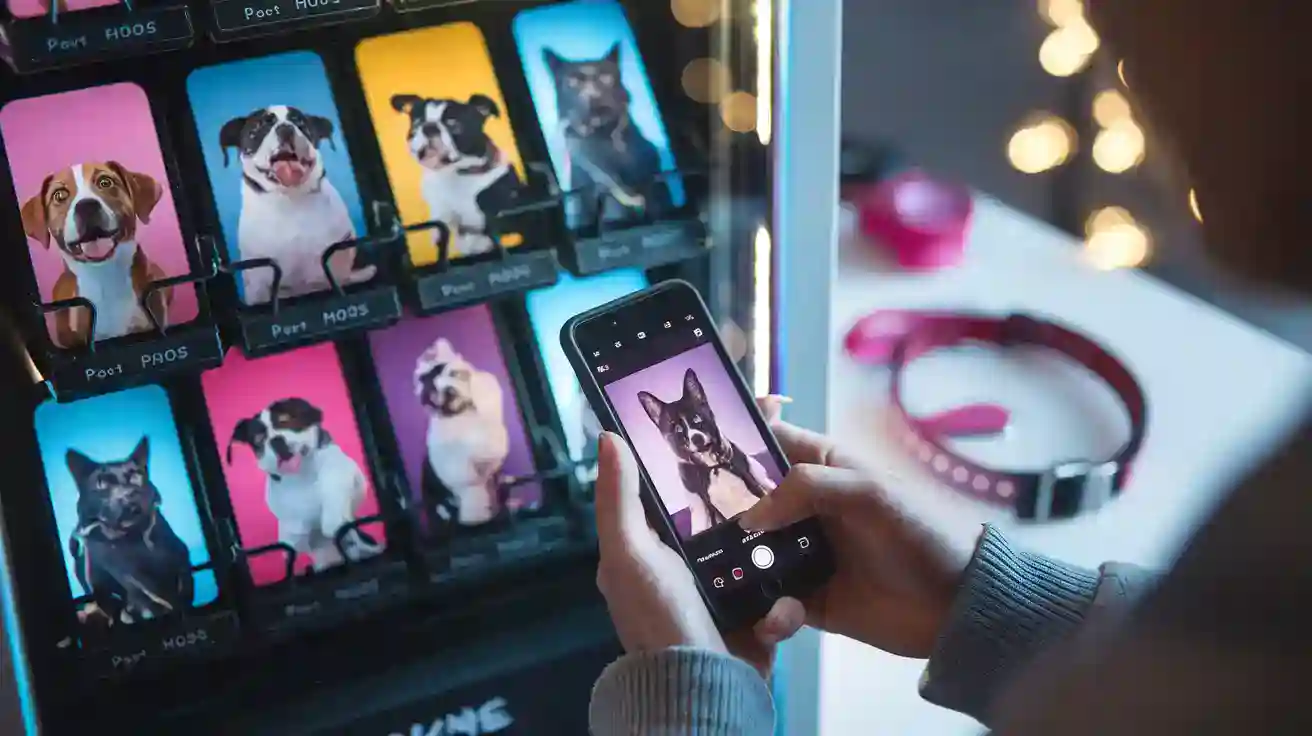
Imagine walking up to a Phone Case Vending Machine, excited to turn your favorite pet photo into a one-of-a-kind accessory. You want your pet’s personality to shine, so you pick a clear, bright picture. The Kexiaozhan Phone Case Printing Vending Machine makes the process simple and fun. Here’s what happens next:
You upload your pet’s photo or choose a creative template.
You add names, adjust colors, or play with the layout.
You pay quickly using your favorite method.
The machine uses high-quality UV printing to create a vibrant, durable design.
Your new case pops out in minutes, ready to show off.
With mobile cover vending machines like Kexiaozhan, you can easily create a custom case that feels personal and looks professional.
Key Takeaways
Pick a clear photo of your pet. This helps your phone case show details.
Take pictures in sunlight. This makes colors brighter and shadows softer.
Snap photos when your pet is acting natural. This shows your pet’s real personality.
Put your pet in the middle of the picture. This makes your design look neat and interesting.
Use Kexiaozhan editing tools to crop your photo. You can also change colors and add cool filters.
Choose a case color that is different from your pet’s fur. This helps your pet stand out.
Make your design simple. Do not add too many things.
Look at your design before you print it. Make sure it looks good and fits right.
Photo Selection
Choosing the right photo is the first step to creating a phone case that truly stands out. Let’s break down what makes a pet photo perfect for your custom design.
Photo Quality
High Resolution
You want your pet’s fur, eyes, and unique features to look sharp and clear. High-resolution photos capture every detail, making your phone case pop. Studies show that images from midrange and high-end smartphones have a much stronger visual impact than those from entry-level phones. For example, the color and detail in a photo taken with a better camera will look more vibrant and true-to-life on your case. Always pick the highest quality photo you have.
Avoiding Blur
Blurry photos can ruin even the cutest pet pose. Make sure your photo is in focus. If your pet moves a lot, try snapping several pictures and choose the sharpest one. The Kexiaozhan Phone Case Vending Machine uses AI-powered tools to help repair and enhance your images, but starting with a clear photo gives you the best results.
Lighting
Natural Light
Lighting can make or break your pet photo. Natural light is your best friend. Take pictures outside or near a window for soft, even lighting. This helps your pet’s colors look true and keeps shadows gentle.
Natural light brings out the best in your pet’s fur and eyes.
If you can’t go outside, use sunlight coming through a window.
Skip the flash. It can create harsh shadows and make your pet look startled.
Shadows
Watch out for deep shadows that hide your pet’s features. If you’re indoors, try using LED lights. They give steady, gentle light and won’t scare your pet. In a studio, a key and fill light setup can help you avoid dark spots and show off every detail.
Tip: Even lighting helps your pet’s personality shine through on your phone case.
Expression
Candid Shots
Candid photos capture your pet’s real personality. Maybe your cat is mid-yawn, or your dog is tilting its head. These moments feel genuine and make your phone case more special. Many pet owners love carrying a case with a hand-drawn look or a funny face because it reminds them of their pet’s quirks.
Unique Traits
Does your pet have a spot on its nose or a goofy grin? Show it off! Custom phone cases with unique expressions or markings stand out and feel more personal. Adding your pet’s name or a favorite phrase can make the design even more meaningful.
When you choose a photo that highlights your pet’s true character, your phone case becomes more than just an accessory—it becomes a keepsake.
Composition
Great composition can turn a simple pet photo into a stunning phone case design. You do not need to be a professional photographer. Just follow a few easy tips to make your pet the star.
Centering
Placing your pet in the center of the photo draws attention right to them. This works well if your pet has a bold look or a unique pose. For example, if your dog sits proudly or your cat stares straight at the camera, centering helps highlight their personality. Make sure the background is clean. A messy background can distract from your pet’s face. Try to get on your pet’s eye level. This makes the photo feel more personal and engaging. When you use the Phone Case Vending Machine, a centered photo often fits perfectly on the case, making your pet the main focus.
Tip: Focus on your pet’s eyes. Sharp, clear eyes make your photo pop and grab attention.
Rule of Thirds
The rule of thirds is a simple trick to make your photo look more interesting. Imagine your photo divided into nine equal parts by two horizontal and two vertical lines. Place your pet where the lines cross. This creates a balanced and eye-catching image. For example, if your cat is looking off to the side, place them on one of the vertical lines. Leave some space in the direction they are looking. This adds a sense of movement and story to your design.
Try these ideas for better composition:
Take photos from your pet’s eye level for a more natural look.
Keep the background simple to make your pet stand out.
When you follow these composition tips, your pet’s photo will look amazing on any phone case. The Kexiaozhan Phone Case Vending Machine makes it easy to preview your design, so you can see how your composition works before printing.
Editing Tips
You have your pet photo ready. Now, you want to make it look even better before printing. The Kexiaozhan Phone Case Vending Machine gives you smart editing tools right on the screen. You can fix, crop, and style your photo in just a few taps. Let’s walk through the best ways to edit your pet’s picture.
Cropping
Fit to Case
You want your pet to stand out on your phone case. Cropping helps you fit the photo perfectly. Use the cropping tool to adjust the size and position. Make sure your pet’s face is not too close to the edge. Try to leave a little space around the head and paws. This way, your design looks balanced and nothing gets cut off by the case edges.
Tip: Use the preview feature to see how your photo fits on the case before printing.
Remove Background
Sometimes, the background distracts from your pet. The vending machine’s automatic cutout tool can erase the background for you. You can choose a solid color or a fun pattern instead. For example, if your dog is sitting on a messy couch, you can remove the couch and use a bright blue background. This makes your pet pop and keeps the focus on them.
Filters
Color Correction
Colors can look dull or too bright in some photos. You can use color correction filters to fix this. Adjust the brightness, contrast, and saturation until your pet’s fur looks natural. For instance, if your cat’s fur looks too yellow, slide the color balance to make it whiter. You want the colors to match your pet’s real look.
Artistic Effects
Want to add some flair? Try artistic filters. You can turn your pet’s photo into a cartoon, sketch, or painting. The vending machine offers these effects with one tap. For example, you can make your puppy look like a comic book hero or give your kitten a watercolor style. These effects make your phone case unique and fun.
Retouching
Sharpen Details
Sharp details make your pet’s eyes and fur stand out. Use the sharpening tool to make the photo crisp. If your photo looks a little soft, increase the sharpness just a bit. You don’t want it to look harsh, so check the preview before printing.
Remove Distractions
Sometimes, there are things in the photo you don’t want. Maybe there’s a toy or a shadow in the corner. The vending machine’s photo repair tool can help you erase these distractions. For example, if your dog’s leash is showing, you can remove it with the touch-up tool. This keeps the focus on your pet.
Note: The built-in editing tools make it easy for you to create a professional-looking design, even if you’re not a photo expert.
You can try different edits and see instant previews. The Kexiaozhan Phone Case Vending Machine helps you turn any pet photo into a masterpiece. You don’t need special software or skills. Just follow these tips, and your phone case will look amazing.
Design Elements
Color Match
Case Colors
Choosing the right case color can make your pet photo stand out. The Kexiaozhan Phone Case Vending Machine gives you lots of options. You can pick from solid colors like bright blue, pink, purple, green, red, black, or white. Each color creates a different mood. For example, a white background makes your pet look clean and classic. A bold color like red or purple adds energy and fun. You can match the case color to your pet’s fur or your favorite color. This makes your phone case feel more personal.
A well-chosen background color can:
Make your pet’s eyes pop.
Highlight unique fur patterns.
Show off your personal style.
Tip: Try a few colors in the preview tool. See which one makes your pet look their best.
Contrast
Contrast helps your pet photo stand out from the background. If your pet has dark fur, a light case color like white or pastel works well. If your pet is light-colored, try a dark or bright background. This simple trick draws attention to your pet and keeps the design easy to see. You want people to notice your pet first, not the background.
For example, a black cat looks stunning on a yellow or pink case. A golden retriever shines on a navy or green background. Play with contrast until your pet becomes the star of the show.
Layout
Centered Design
A centered design puts your pet right in the middle of the case. This layout works great for portraits or close-up shots. When you use the Kexiaozhan templates, you can easily drag your pet’s photo to the center. This makes your pet the main focus. It also keeps the design balanced and neat.
Example: Place your dog’s smiling face in the center. Add a simple background. Your case will look clean and eye-catching.
Negative Space
Negative space means leaving some empty areas around your pet’s photo. This space helps your design breathe. It stops the case from looking crowded. You can use negative space to draw attention to your pet or to add text and decorations later. Many Kexiaozhan templates use negative space to create a modern, stylish look.
Text
Names
Adding your pet’s name makes your phone case even more special. You can type the name anywhere on the case. Some people like it under the photo. Others put it at the top or along the side. You can also add a nickname or a short phrase, like “Best Friend” or “Fluffy Queen.” This small touch adds personality and charm.
Fonts
Fonts change the mood of your design. The Kexiaozhan vending machine offers many font styles. You can pick a playful font for a puppy or a fancy script for a regal cat. Try different sizes and colors to see what fits best. Make sure the text is easy to read and matches the overall style of your case.
Tip: Use bold fonts for short names. Use softer fonts for longer phrases. Always check the preview to see how your text looks with your pet’s photo.
Decorations
Adding decorations can turn your pet photo phone case into a true work of art. The Kexiaozhan Phone Case Printing Vending Machine gives you lots of creative options. You can use borders and stickers to make your design pop. Let’s look at how you can use these features to create a case that stands out.
Borders
Borders frame your pet’s photo and give your case a polished look. You can choose from many styles in the Kexiaozhan vending machine. Some borders are simple and clean. Others have fun patterns or bright colors. Borders help separate your pet’s photo from the background. This makes your design look neat and professional.
Classic Borders: Try a thin black or white line. This style works well for any pet photo. It keeps the focus on your pet.
Colorful Borders: Pick a border that matches your pet’s collar or favorite toy. For example, use a red border for a dog with a red leash.
Patterned Borders: Choose borders with paw prints, hearts, or stars. These add a playful touch to your case.
Tip: Use the preview tool to see how each border looks with your photo. You can switch styles until you find the perfect match.
Borders also help protect the edges of your photo from getting cut off during printing. If your pet’s face is close to the edge, a border can save important details.
Stickers
Stickers let you add personality and fun to your phone case. The Kexiaozhan vending machine offers a huge library of stickers. You can find everything from cartoon bones to speech bubbles. Stickers are easy to drag and drop onto your design.
Pet-Themed Stickers: Add a fish for your cat or a bone for your dog. These stickers show off your pet’s favorite things.
Speech Bubbles: Make your pet “talk” by adding a speech bubble. Type in a funny phrase like “Feed me!” or “Nap time!”
Seasonal Stickers: Decorate your case with holiday stickers. Try pumpkins for Halloween or snowflakes for winter.
Accessory Stickers: Put a crown on your cat or sunglasses on your dog. These stickers make your pet look cool and unique.
Example: Place a heart sticker next to your pet’s face. Add a “Best Buddy” label underneath. Your case will look cute and personal.
You can use one sticker or mix several for a collage effect. Just remember not to overcrowd your design. Stickers should highlight your pet, not hide them.
Note: The Kexiaozhan vending machine makes it easy to move, resize, and rotate stickers. You can experiment until your case looks just right.
Decorations like borders and stickers help you create a phone case that feels special. Try different combinations and see what makes your pet shine. With Kexiaozhan’s creative tools, you can design a case that is as unique as your furry friend.
Phone Case Vending Machine Features
Kexiaozhan is a leader in phone accessories. The brand makes and sells phone case vending machines. It also makes film laminating machines for phones. Each year, Kexiaozhan builds over 30,000 machines. More than 160 experts work for the company. Kexiaozhan is known for new ideas and high quality.
Customization
You want your phone case to be special. Kexiaozhan helps with smart AI tools and a big touchscreen. You can pick from many templates. Add your pet’s photo and see a preview right away.
Templates
Pick a template that fits your style. There are designs for every mood. You can choose playful, classic, or bold looks. The machine works with over 200 phone models. You always find one that fits your phone.
Preview
Check the preview on the large touchscreen before printing. You see how your case will look. If you want changes, you can fix colors, layout, or decorations fast.
Tip: Use the preview so your design looks just right.
Here’s how Kexiaozhan compares to other brands:
Feature | Kexiaozhan | Other Brands |
|---|---|---|
✅ Yes | ❌ Rarely | |
27-inch Touchscreen | ✅ Yes | ❌ Smaller |
60+ Language Support | ✅ Yes | ❌ Limited |
Remote App Management | ✅ Yes | ❌ Sometimes |
Instant Printing | ✅ Yes | ❌ Slower |
You can use the machine in more than 60 languages. Remote app management lets you control your vending machine from anywhere.
Materials
Your phone case should last a long time. Kexiaozhan uses strong materials for every case. You can pick the finish you like best.
Glossy
Glossy cases are shiny and show bright colors. They feel smooth and look new. If you want your pet’s photo to stand out, pick glossy.
Matte
Matte cases feel soft and do not shine. They look cool and are easy to hold. Matte is good for simple designs.
Here’s a quick look at the materials used:
Material | Print Quality Impact | |
|---|---|---|
Polycarbonate | Tough and hard to break | Prints look sharp |
TPU | Bends but keeps its shape | Designs look clear |
Liquid Silicone | Soft and absorbs shocks | Surface feels smooth |
Liquid Tempered Glass | Hard to scratch, very strong | Finish looks clear |
Recyclable Plastics | Good for the planet, lasts long | Works with many print styles |
Eco-Friendly
You want to help the Earth. Kexiaozhan has green choices. Many cases use recyclable plastics to cut down on waste. The company cares about style and the environment.
Sustainable Choices
Pick a case made from recycled materials. It lasts long and helps nature.
Modern Appeal
Eco-friendly cases look cool and feel nice. You can show off your pet and your values.
Note: Kexiaozhan’s Phone Case Vending Machine is easy to use. It prints fast, in about three minutes. You can pay in many ways. You do not need to keep extra cases. You print only when you need one. This helps you run a smart business.
Mistakes to Avoid
Overcrowding
Too Many Elements
It’s easy to get excited and add lots of stickers, borders, and text to your pet’s phone case. But too many elements can make your design look messy. When you overload your case with graphics or words, people might not know where to look first. Your pet’s photo could get lost in the clutter.
Tip: Less is more. Pick one or two decorations that highlight your pet’s personality. For example, use a single heart sticker or a simple border. This keeps your design clean and lets your pet shine.
Focal Point
Every great design needs a focal point. That’s the spot where you want people’s eyes to go first. If you add too many things, your pet’s face might not stand out. Always make your pet the star of the show.
Try this: Place your pet’s photo in the center and use decorations around the edges. Avoid putting big stickers or text over your pet’s face. This way, everyone will notice your furry friend right away.
Here’s a quick table to help you avoid common mistakes:
Mistake | Solution |
|---|---|
Create a focal point and keep it simple | |
Forgetting the personal touch | Add unique images or quotes |
Skipping design tests | Use the preview tool before printing |
Low Resolution
Pixelation
Using a low-resolution photo can ruin your phone case. When you print a blurry or small image, it turns out pixelated. You’ll see tiny squares instead of smooth lines. Your pet’s fur and eyes will look fuzzy, not sharp.
Blurry and pixelated prints make your case look unprofessional.
Colors may turn out dull or strange.
Enlarging a small photo causes even more detail loss.
Quality Check
Always check your photo’s quality before uploading. Use the highest resolution you have. If you’re not sure, zoom in on your photo. If it still looks clear, you’re good to go. The Kexiaozhan machine can help fix minor issues, but starting with a sharp photo gives the best results.
Example: If you took a picture with an old phone, try snapping a new one with a better camera or ask a friend for help.
Clashing Colors
Readability
Colors can make or break your design. If you pick colors that clash, your text or pet’s photo might be hard to see. For example, red text on a green background can hurt your eyes. Always choose colors that work well together.
Tip: Use dark text on a light background or light text on a dark background. This makes everything easy to read.
Harmony
A harmonious color scheme looks pleasing and professional. Use a color wheel to find colors that match. For example, blue and yellow look great together. Avoid using too many bright colors at once.
Here’s a quick checklist for color harmony:
Pick one main color and one accent color.
Match the case color to your pet’s fur or collar.
Preview your design to see how the colors look together.
By keeping these tips in mind, you’ll create a phone case that’s both beautiful and easy to enjoy every day.
Case Cutouts
When you design a custom phone case, you want your pet’s photo to look perfect. But you also need your phone to work well. That means you must pay attention to the cutouts for the camera and buttons. If you ignore these areas, your design might cover important parts of your phone. Let’s make sure your case looks great and works perfectly.
Camera
The camera cutout is one of the most important parts of your phone case. If your pet’s face or a key part of your design sits right where the camera hole goes, you might lose the best part of your photo. You don’t want your dog’s nose or your cat’s eyes cut off by the camera opening.
Here’s how you can avoid this mistake:
Always check the preview on the Kexiaozhan vending machine. The preview shows exactly where the camera cutout will be.
Move your pet’s photo away from the top corner or wherever the camera sits on your phone model.
Use the built-in templates. These templates mark the camera area, so you can place your photo safely.
Tip: If you’re not sure, try using a test photo first. Print a simple design and see where the camera cutout lands. This helps you plan your real design better.
Example:
If you have an iPhone, the camera cutout usually sits in the top left corner. Place your pet’s face in the center or lower part of the case. This way, the camera won’t block any important details.
Buttons
Buttons are another spot you need to watch. Every phone has side buttons for volume, power, or mute. If your design covers these areas, you might lose part of your pet’s photo or make the buttons hard to use.
Here’s what you can do:
Look for button outlines in the design preview. The Kexiaozhan machine shows you where the buttons will be.
Keep important parts of your photo, like your pet’s face or name, away from the sides.
Use negative space near the button areas. This keeps your design clean and your phone easy to use.
Note: If you add text or stickers, place them in the center or bottom of the case. Avoid the sides where the buttons are.
Quick Checklist for Case Cutouts:
Area | What to Check | How to Fix |
|---|---|---|
Camera | Is the photo blocked? | Move image away from cutout |
Buttons | Is text or face covered? | Shift design to center or bottom |
By paying attention to the camera and button cutouts, you make sure your custom case looks amazing and works just right. Always use the preview and templates. Your pet’s photo will shine, and your phone will stay easy to use!
Creative Ideas
You can make your pet phone case even more special by getting creative with your design. The Kexiaozhan Phone Case Printing Vending Machine gives you so many ways to show off your furry friends. Let’s explore some fun ideas!
Multiple Pets
Group Photos
Do you have more than one pet? Try using a group photo! You can capture your pets playing together or sitting side by side. Group photos work great for families, couples, or best friends who want to celebrate their pets together. These designs feel extra personal and make wonderful gifts.
Here’s a quick look at why group photos and collages are so popular:
Who Loves Them? | Why They’re Special |
|---|---|
Pet parents | Show all pets together in one place |
Couples or best friends | Share favorite moments with loved ones and pets |
Gift givers | Add emotional value for birthdays or holidays |
Many people love having a photo of their pet as a screensaver, but carrying them on your phone case is next-level love!
Collages
Can’t pick just one photo? Make a collage! You can mix funny faces, action shots, and sweet moments. The Kexiaozhan machine lets you arrange several pictures in one design. Try adding a border or sticker to each photo for extra flair. Collages help you tell a story about your pets and their adventures.
Themes
Holidays
You can celebrate any season or holiday with your pet’s phone case. Add pumpkins for Halloween, snowflakes for winter, or hearts for Valentine’s Day. Holiday-themed designs make your case feel fresh and fun all year long. They also make great gifts for friends and family.
Accessories
Dress up your pet with digital accessories! Add a crown, sunglasses, or a bow tie using the sticker tool. Accessory-themed designs are playful and show off your pet’s unique style. You can even match your pet’s look to your own favorite accessories.
Try combining a holiday background with a cute accessory for a one-of-a-kind design.
Styles
Minimalist
If you like simple looks, go for a minimalist style. Use a clean background and just one or two photos. Add your pet’s name in a small, neat font. Minimalist cases look modern and never go out of style.
Bold
Want your phone case to stand out? Choose bold colors, big fonts, and eye-catching stickers. Place your pet’s photo front and center. Use bright backgrounds or fun patterns. Bold designs grab attention and show off your pet’s personality.
Popular creative ideas for pet phone cases:
Custom pet portraits
Holiday-themed designs
Accessory-themed designs
No matter which idea you choose, the Kexiaozhan Phone Case Printing Vending Machine makes it easy to create a case that’s as unique as your pet. Try different styles and have fun with your design!
Using the Vending Machine
Ready to turn your pet’s photo into a custom phone case? The Kexiaozhan Phone Case Vending Machine makes the process quick and easy. Here’s how you can do it, step by step.
Prepare Photo
File Format
First, make sure your pet’s photo is in a common format like JPG or PNG. These formats work best with the machine. If you use a smartphone, your photos are usually already in the right format.
Transfer
You can bring your photo on your phone or tablet. The machine lets you upload your image in several ways. You can connect your device with a cable, use Bluetooth, or scan a QR code to send your photo wirelessly. This flexibility helps you get started fast.
Design Process
Upload
Once you select your phone model on the touchscreen, you upload your pet’s photo. You can also choose from hundreds of built-in templates if you want a creative background or extra flair.
Customize
Now, you get to have fun! Add your pet’s name, adjust colors, or place stickers and borders. The preview screen shows you exactly how your case will look. If you want to change something, just tap and edit. Many users love trying out different styles before picking their favorite.
Print & Collect
Payment
When your design is ready, it’s time to pay. The machine accepts many payment methods, including cards, mobile payments, and even QR codes. You get a digital receipt sent to your phone or email, so you always have proof of purchase.
Pickup
After payment, the machine prints your case using high-resolution UV technology. This takes about two to three minutes. When it’s done, your new phone case drops into the pickup slot. You can grab it and show off your pet right away!
Tip: If you run a business, you can use the intelligent APP remote management system. This lets you track sales, check inventory, and get instant alerts if there’s a problem. You save time and keep your customers happy.
Here’s a quick look at how the remote management system helps:
Feature | Benefit |
|---|---|
Get instant reports and fix issues fast | |
Real-time inventory | Always know what’s in stock and restock quickly |
AI personalization | Get smart product suggestions for your customers |
Kexiaozhan machines are popular in many countries, including Vietnam, South Korea, and Malaysia. People everywhere enjoy the simple process and fast results. If you want to see how other brands do it, you can check out sites like Printful or Case Station, but Kexiaozhan stands out for its speed and smart features.
Now you know how to make cool phone cases with your pet photos using Kexiaozhan. You can try out many templates and use lots of colors. Add some fun stickers to make your case special. Show your new designs to your friends or post them online. Good photos and a little creativity help your case look awesome.
With Kexiaozhan’s smart technology, anyone can make something great. Give it a try today! 🐾
FAQ
How do I know if my pet photo is good enough for printing?
Look for a clear, sharp photo with good lighting. If you can see your pet’s eyes and fur details, you’re set! The Kexiaozhan machine can fix small issues, but starting with a great photo gives you the best results.
Can I use more than one pet in my phone case design?
Yes! You can upload group photos or create a collage. The vending machine lets you add multiple images, so you can show off all your pets together. Try using a template for the best layout.
What file types does the Kexiaozhan vending machine accept?
You can upload JPG or PNG files. Most smartphones save photos in these formats. If you’re not sure, check your photo’s file name. The machine will let you know if you need to change it.
How long does it take to print my custom phone case?
Printing usually takes about two to three minutes. You can watch your design come to life on the screen. Once it’s ready, just pick up your new case from the slot.
Can I preview my design before printing?
Absolutely! The machine shows a live preview of your phone case. You can move your photo, add stickers, or change colors until you love the look. Always check the preview to avoid surprises.
What if I make a mistake in my design?
No worries! You can edit your design as much as you want before you pay. Use the undo button or start over if needed. The preview helps you catch mistakes early.
Are the phone cases eco-friendly?
Yes, many Kexiaozhan cases use recyclable materials. You can choose a sustainable option and help the planet. Look for the eco-friendly label when you pick your case style.
Can I add text or stickers to my pet photo?
You sure can! Add your pet’s name, a funny quote, or cute stickers. The machine has lots of fonts and decorations. Try different styles to see what fits your pet’s personality best.